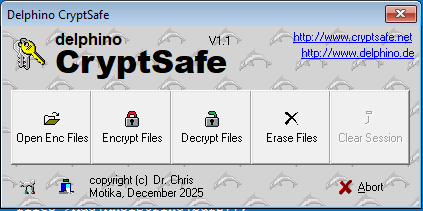
Explorer Integration
Explorer-Integration
- Encrypt, decrypt & wipe via right-click
- Verschlüsseln, entschlüsseln & löschen per Rechtsklick
- Batch processing for multiple files
- Batch-Verarbeitung für mehrere Dateien
- “Open with CryptSafe” auto-decrypts and opens file
- „Open with CryptSafe“ entschlüsselt & öffnet automatisch
- Explorer refresh after each action
- Automatischer Explorer-Refresh
Encryption
Verschlüsselung
- Three selectable algorithms:
- Drei wählbare Algorithmen:
- AES-CTR – default, secure & fast
- AES-CTR – Standard, sicher & schnell
- Blowfish – compact, classic, lightweight
- Blowfish – kompakt, klassisch, leichtgewichtig
- ChaCha20 – modern, high-performance
- ChaCha20 – modern, sehr performant
- Header encryption only (fast)
- Nur Header-Verschlüsselung (schnell)
- Filename + password based key derivation
- Schlüsselableitung aus Dateiname + Passwort
- Encrypted files start with
$ - Verschlüsselte Dateien beginnen mit
$ - Optional session mode
- Optionaler Session-Modus
Secure Wipe
Sicheres Löschen
- Multi-pass overwrite with random data
- Mehrfaches Überschreiben mit Zufallsdaten
- Configurable number of passes
- Anzahl der Durchläufe konfigurierbar
- Automatic wipe of temporary decrypted files
- Automatisches Löschen temporär entschlüsselte Dateien
- Manual “Wipe Temp” function
- Manuelle „Wipe Temp“-Funktion
Hotkeys & Tray App
Hotkeys & Tray-App
- Runs silently in system tray
- Läuft unauffällig im Tray
- Global hotkeys:
- Globale Hotkeys:
Ctrl+Shift+F11– EncryptVerschlüsselnCtrl+Shift+F12– DecryptEntschlüsselnCtrl+Shift+F7– WipeLöschenCtrl+Shift+F10– Open encryptedVerschlüsselte öffnen
Technical Details
Technische Details
- Native C++ implementations of AES-CTR, Blowfish & ChaCha20
- Native C++-Implementierungen von AES-CTR, Blowfish & ChaCha20
- Portable single-EXE application
- Portable Einzel-EXE Anwendung
- Creates Start Menu shortcut automatically
- Erstellt automatisch eine Startmenü-Verknüpfung
- No cloud, no telemetry
- Keine Cloud, keine Telemetrie
Note: CryptSafe is a technical tool and does not replace legal or security advice.
Hinweis: CryptSafe ist ein technisches Werkzeug und ersetzt keine Rechts- oder Sicherheitsberatung.