Local password security for Windows and Android Lokale Passwortsicherheit für Windows und Android

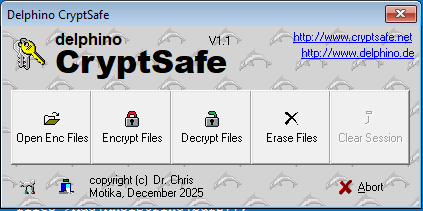
CryptSafe

Version BETA 1.1

AES, Twofish and ChaCha20. Portable. Offline. Yours. AES, Twofish und ChaCha20. Portabel. Offline. Deins.

CryptSafe is a local password manager for encrypted .dcs vaults. Organize accounts in groups, search instantly, copy credentials securely and use the same vault on Windows and Android. Your master password and decrypted vault data remain on your device.

CryptSafe ist ein lokaler Passwortmanager für verschlüsselte .dcs-Tresore. Konten lassen sich in Gruppen organisieren, schnell durchsuchen und sicher kopieren. Derselbe Tresor kann unter Windows und Android verwendet werden. Masterpasswort und entschlüsselte Tresordaten bleiben auf deinem Gerät.

Freeware · Local encryption · No account required · No telemetry · No cloud dependency Freeware · Lokale Verschlüsselung · Kein Konto nötig · Keine Telemetrie · Keine Cloud-Abhängigkeit
Windows: portable EXE or ZIP for Windows 10 / 11. Android: installable APK. On Android, installation from your browser or file manager may need to be allowed once. Windows: portable EXE oder ZIP für Windows 10 / 11. Android: installierbare APK. Unter Android muss die Installation aus Browser oder Dateimanager gegebenenfalls einmal erlaubt werden.
🔐 .dcs Vaults 🪟 Windows 🤖 Android 👆 Fingerprint ⏱ Auto-Lock 🔎 Fast Search 📂 Groups 🧬 Crypto Cascades ☁ Sync-App Friendly 🗝 KeePass Import / Export
CryptSafe for Windows and Android

CryptSafe for Windows and Android: one compatible encrypted .dcs vault format across desktop and mobile.

CryptSafe für Windows und Android: ein gemeinsames kompatibles verschlüsseltes .dcs-Tresorformat auf Desktop und Mobilgerät.

A password vault built around local control. Ein Passwort-Tresor mit konsequenter lokaler Kontrolle.

CryptSafe combines strong encryption, practical organization and cross-device compatibility without requiring a central online account. CryptSafe verbindet starke Verschlüsselung, praktische Organisation und geräteübergreifende Kompatibilität – ohne zentrales Online-Konto.

🔐

Strong vault encryptionStarke Tresorverschlüsselung

  • Configurable cascades with AES, Blowfish, ChaCha20 and TwofishKonfigurierbare Kaskaden mit AES, Blowfish, ChaCha20 und Twofish
  • Password derivation with configurable iteration countPasswortableitung mit konfigurierbarer Iterationszahl
  • Encrypted portable .dcs container formatVerschlüsseltes portables .dcs-Containerformat
📂

Groups and entriesGruppen und Einträge

  • Hierarchical groups for private, work and project accountsHierarchische Gruppen für private, berufliche und projektbezogene Konten
  • Title, username, password, URL, automation and notesTitel, Benutzername, Passwort, URL, Automatisierung und Notizen
  • Individual icons for groups and entriesIndividuelle Icons für Gruppen und Einträge
🔎

Fast accessSchneller Zugriff

  • Instant full-vault search with multiple search termsSofortige Tresorsuche mit mehreren Suchbegriffen
  • Copy username or password with one actionBenutzername oder Passwort mit einer Aktion kopieren
  • Open stored websites directlyGespeicherte Webseiten direkt öffnen

Automatic lockingAutomatische Sperre

  • Configurable inactivity timeoutKonfigurierbares Inaktivitäts-Timeout
  • Windows session lock and standby protectionSchutz bei Windows-Sperre und Standby
  • Password session data is discarded when lockingPasswort-Sessiondaten werden beim Sperren verworfen
👆

Android convenienceAndroid-Komfort

  • Optional fingerprint unlock for a previously opened vaultOptionales Entsperren per Fingerabdruck für einen zuvor geöffneten Tresor
  • Touch-friendly group and entry browserTouchfreundliche Gruppen- und Eintragsansicht
  • Read and edit compatible vaults on the phoneKompatible Tresore auf dem Smartphone lesen und bearbeiten

Works with your sync setupFunktioniert mit deiner Synchronisation

  • Open local files exposed by Android's system file pickerLokale Dateien über den Android-Systemdateidialog öffnen
  • Compatible with files made available by ownCloud, Dropbox and similar appsKompatibel mit Dateien, die ownCloud, Dropbox und ähnliche Apps bereitstellen
  • Optional sidecar lock file reduces conflicting writesOptionale Lockdatei reduziert konkurrierende Schreibzugriffe
⌨️

Credential automationAnmelde-Automatisierung

  • Automate username, password, Tab, Enter and clipboard actionsBenutzername, Passwort, Tab, Enter und Clipboard-Aktionen automatisieren
  • Open a URL before typing credentialsURL vor der Eingabe der Zugangsdaten öffnen
  • Wait commands for slower applications and websitesWartebefehle für langsamere Anwendungen und Webseiten
💾

Backups and safe savingBackups und sicheres Speichern

  • Optional last-version and daily backup filesOptionale letzte Version und tägliche Sicherungsdateien
  • Temporary-file workflow helps avoid partial writesTemporärer Date Workflow schützt vor unvollständigem Schreiben
  • Configurable retention strategyKonfigurierbare Aufbewahrungsstrategie
🔄

Import and exportImport und Export

  • KeePass-oriented import and export workflowKeePass-orientierter Import- und Export-Workflow
  • Portable vault files remain under your controlPortable Tresordateien bleiben unter deiner Kontrolle
  • Consistent data model across Windows and AndroidEinheitliches Datenmodell unter Windows und Android

One vault, three download options. Ein Tresor, drei Downloadmöglichkeiten.

Choose the package that matches your device and preferred installation method. Wähle das Paket passend zu deinem Gerät und deiner bevorzugten Installationsart.

Windows EXE
Direct portable startDirekt portabel starten Download CryptSafe.exe and run it directly. CryptSafe.exe herunterladen und direkt starten.
Windows ZIP
Browser-friendly packageBrowserfreundliches Paket Use the ZIP if your browser blocks standalone EXE downloads. ZIP verwenden, falls der Browser einzelne EXE-Dateien blockiert.
Android APK
Install on AndroidAuf Android installieren Download the APK and approve installation from the selected source if Android asks. APK herunterladen und bei Nachfrage die Installation aus der gewählten Quelle erlauben.
Vault file
Use the same .dcs fileDieselbe .dcs-Datei nutzen Keep the vault locally or synchronize it using a storage app you trust. Tresor lokal behalten oder über eine vertraute Speicher-App synchronisieren.
AreaBereich
Windows
Android
Vault formatTresorformat
.dcs
.dcs
Main useHauptnutzung
Full desktop management and automationVollständige Desktopverwaltung und Automatisierung
Mobile access, copy, URLs and editingMobiler Zugriff, Kopieren, URLs und Bearbeitung
Unlock optionsEntsperroptionen
Master passwordMasterpasswort
Master password and optional fingerprintMasterpasswort und optional Fingerabdruck

Ready to create your encrypted vault? Bereit für deinen verschlüsselten Tresor?

Start with the portable Windows version or install the Android APK. Starte mit der portablen Windows-Version oder installiere die Android-APK.

⬇ Download CryptSafe ⬇ CryptSafe herunterladen

About / press information Kurzinfo / Presse

Short facts for download archives, blogs and editors. Kurzangaben für Download-Archive, Blogs und Redaktionen.

CryptSafe is a free, independently developed password manager from Germany. It stores credentials in encrypted local .dcs vaults and provides compatible applications for Windows and Android. The software focuses on local control, strong configurable encryption, practical organization and operation without a mandatory online account.

CryptSafe ist ein kostenloser, unabhängig entwickelter Passwortmanager aus Deutschland. Zugangsdaten werden in verschlüsselten lokalen .dcs-Tresoren gespeichert. Kompatible Anwendungen stehen für Windows und Android zur Verfügung. Im Mittelpunkt stehen lokale Kontrolle, starke konfigurierbare Verschlüsselung, praktische Organisation und die Nutzung ohne Pflichtkonto.

  • Version: BETA 1.1
  • License: Freeware / non-commercial release
  • Platforms: Windows 10 / 11, Android
  • Packages: EXE / ZIP / APK
  • Vault format: encrypted .dcs
  • Account required: no
  • Telemetry: none
  • Website: cryptsafe.net
Counter

CryptSafe is an independent password manager project developed since 2025, focused on encrypted local vaults for Windows and Android. CryptSafe ist ein unabhängiges, seit 2025 entwickeltes Passwortmanager-Projekt mit Fokus auf verschlüsselte lokale Tresore für Windows und Android.